Double Click Zones is a NinjaTrader 8 tool for traders who mark support and resistance, supply and demand, and other areas of interest all day long. Instead of drawing a rectangle by hand every time, you pick the zone behavior once, then double-click the bar that matters and the tool places the configured zone, line, or region from that bar.
You still choose the area yourself. You just stop dragging anchors, reopening properties, and digging through NinjaTrader object settings to make a zone global. The toolbar dropdown and the selected-zone menu keep everything next to the chart.
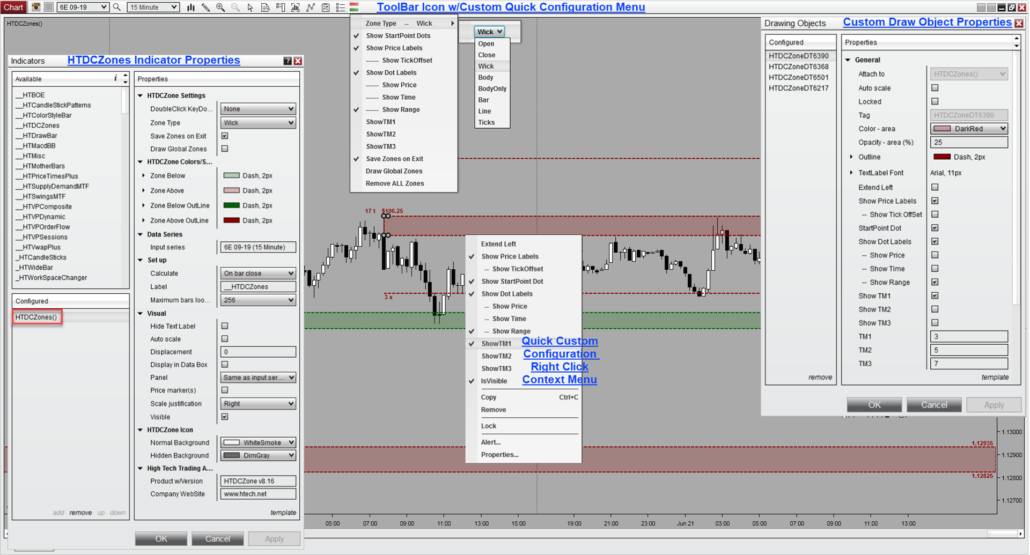
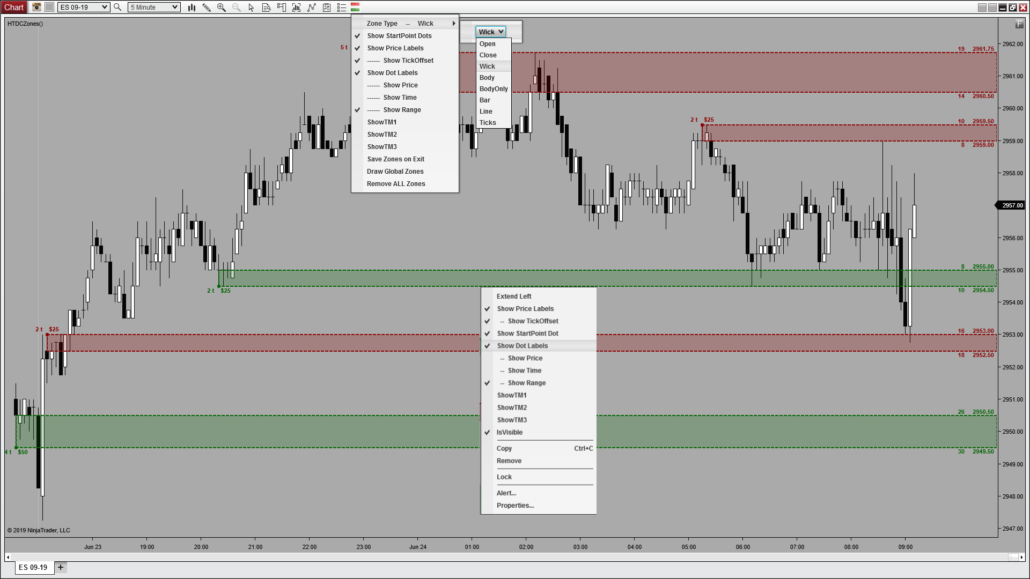
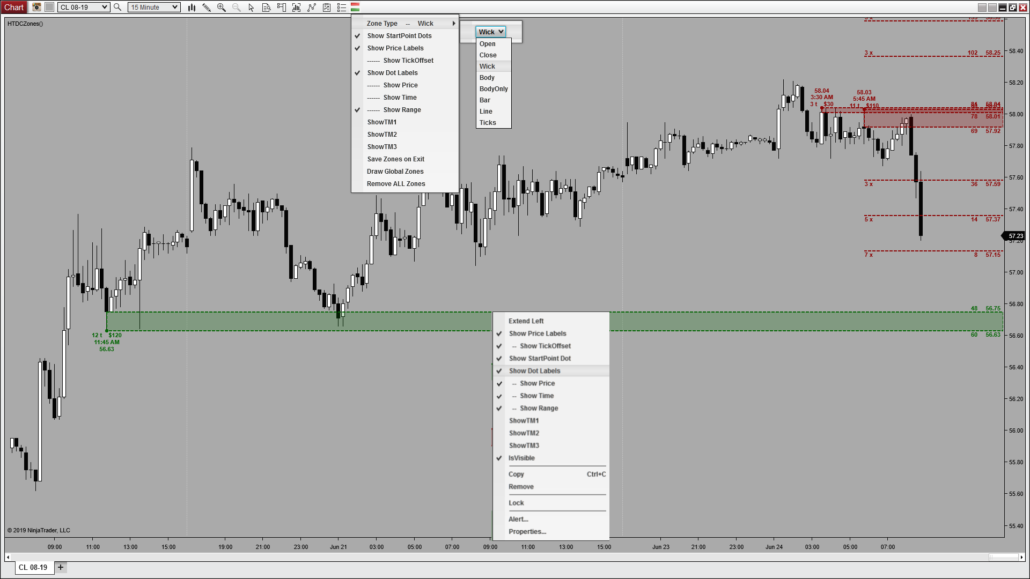
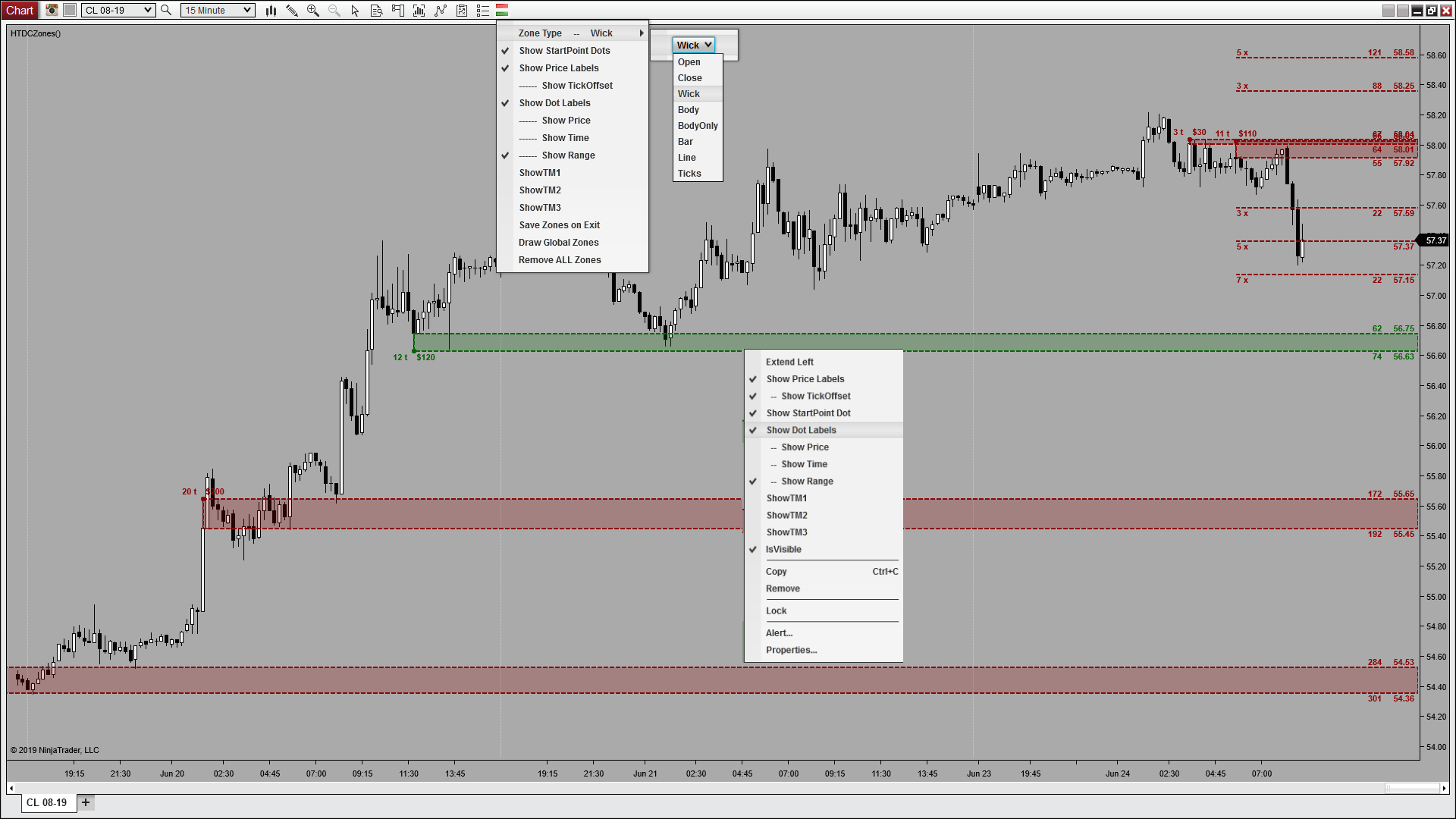
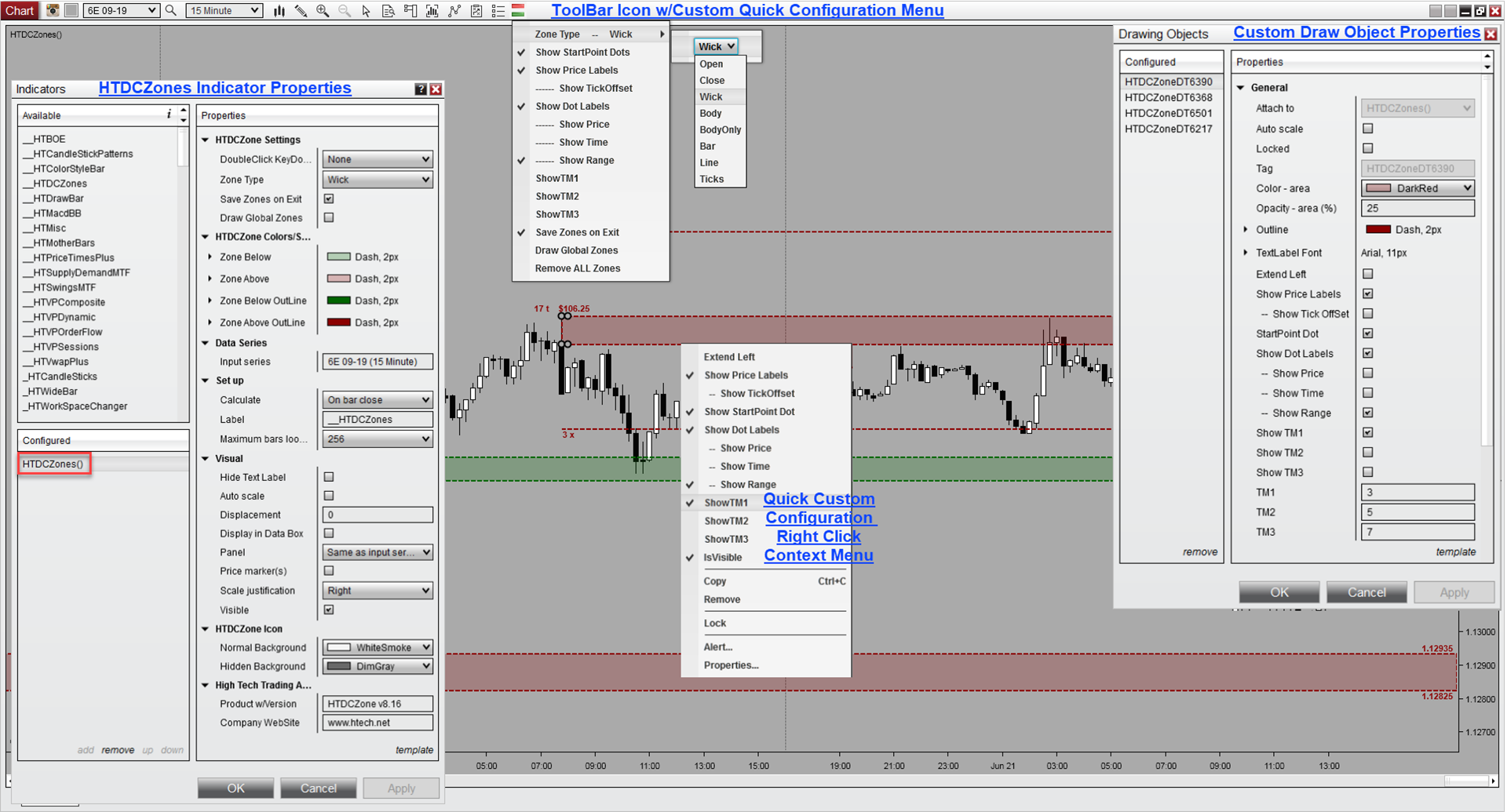
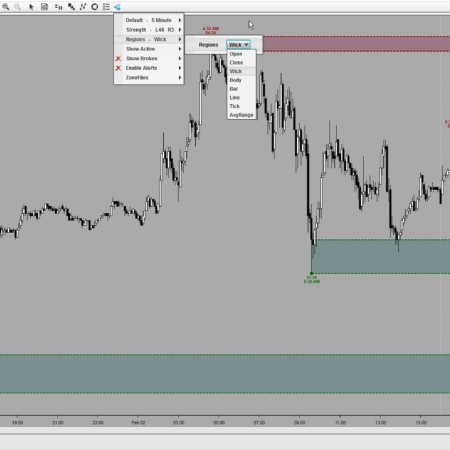
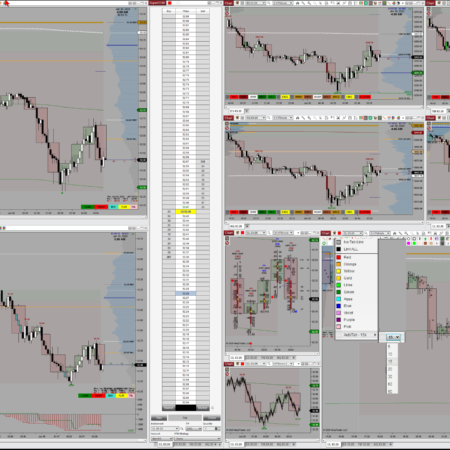
Real chart: red supply and green support zones placed by double-click, with the toolbar dropdown and a selected-zone menu open. Price, tick-offset, and target labels sit on the right axis.
Double-click, it is there. Double-click, it is gone.
That is the whole tool, and it is why it is an indicator instead of a drawing tool. A normal drawing tool can place an object on one click, but it cannot double-click to remove one. Placing zones and clearing them the same fast way, right on the bar, is the part a drawing tool simply cannot do.
Set what the double-click draws
Pick the active behavior once and every double-click follows it: wick, body, body only, full bar, open, close, line, a fixed number of ticks, or a fair value gap. Double-click above the bar for one color and below it for another, so supply and support read apart at a glance. Change the type from the toolbar and it applies to the next zones you draw, never to the ones already on the chart.
Hold Ctrl and double-click for a quick line, whatever your main type is set to. Keep the tool on wick and drop a single line without switching.
Hold Caps and double-click for a fair value gap the same way. Both keys are fixed overrides, so your everyday setting stays put.
One toolbar icon, three clicks
The icon on the NinjaTrader toolbar carries the whole workflow, and its background color can match your theme and dim when zones are hidden.
Left-click
Opens the dropdown that sets type, labels, alerts, saving, and global for the next zones you draw.
Middle-click
Hides or shows every zone on the chart at once. The icon dims while the zones are hidden.
Right-click
Removes zones in one action, either the current chart only or every instrument, your choice.
The dropdown sets the defaults for future zones. The selected-zone right-click menu changes only the zone you clicked. Same controls, one for what comes next and one for what is already drawn.
The dropdown sets the future, the selected zone stays yours
Anything you turn on in the dropdown, a label, an alert, a target multiplier, saving, or global, applies to the next zones you draw and leaves the existing ones untouched. Select a zone already on the chart and its right-click menu changes that one zone only. That split keeps the tool fast without changing markup you already trust.
Mark it once, see it on every chart
Turn on global and the next zone you draw appears on every chart of the same instrument, so the level you care about stays aligned across your 5-minute, 15-minute, and Renko charts. Global zones can use their own color or template so you can tell them from local ones. Alerts and global are kept apart on purpose: a level shared across a dozen charts will not fire a dozen alerts. Auto-break still works globally.
Everything you can set on a placed zone
Select any zone and its right-click menu opens the full set of controls, most of which are also in the dropdown as future-zone defaults.
Alert on touch and alert on break, with separate sound files for each.
Auto-break that stops a zone at the bar that breaks it instead of extending on.
Target multipliers TM1, TM2, and TM3 for reading reward multiples off your risk.
A custom text label typed straight into the zone from the top of the menu.
Price, tick-offset, start-point dot, time, range, and midpoint labels, on or off.
Lock a zone so it cannot be nudged, and extend it left or right by choice.
Save zones on exit to restore them next session, or start every chart fresh.
Save and load zone templates so a favorite style is one click away.
Why traders use Double Click Zones in NinjaTrader 8
Double Click Zones earns its place on a NinjaTrader 8 chart by cutting zone markup to a double-click.
Without Double Click Zones
Drag a rectangle by hand for every support, resistance, or supply and demand area.
Reopen properties for labels, alerts, or targets, and dig through settings to share a level.
Redraw the same level on each chart of the instrument, then clear them one by one.
With Double Click Zones
Double-click the bar and the configured zone, line, or FVG draws itself; double-click again to remove it.
Set labels, alerts, and targets from the dropdown for the next zones, or per zone from its menu.
Turn on global to mirror a level across every chart of the instrument, and clear all from the toolbar.
Common uses
Marking a support or resistance area straight off the bar that defines it.
Dropping lines and fair value gaps without switching your main zone type.
Keeping the same level aligned across every chart of one instrument.
Hiding labels, dots, or all zones with one click when a chart gets busy.
Saving zones between sessions, or clearing a chart to start over fast.
Is Double Click Zones an automatic zone indicator?
No. Double Click Zones is a manual NinjaTrader 8 zone drawing and management tool. You choose the bar or area that matters, then place the configured zone, line, or region with a double-click.
How do I remove a zone?
Double-click the same bar again and the zone is gone. You can also remove all zones from the toolbar, or delete a selected zone from its right-click menu.
Can zones appear on more than one chart?
Yes. Set a zone as global and it displays on every chart of the same instrument, with its own color or template if you want to tell global from local.
Can I save zones between sessions?
Yes. Save-on-exit is optional and set from the toolbar, so you can restore your zones next session or start each chart fresh.
Requirements: Windows and NinjaTrader 8.1.2.1 or later.
New 2021 Version Updates – Detailed Explanation of ALL Updated Features, Properties, and Configuration:
Detailed Explanation of ALL Features, Properties, Set-Up, and Configuration:
My Account Downloads
After purchase or access, your available HTech downloads are located in your My Account page. Log in with the same account used for the purchase, then open the Downloads tab in My Account.
Installer Passwords
Most individual HTech products are delivered as password-protected self-installing files. The required installer password is included in your order email. If your order includes multiple products, that email may include multiple product passwords.
Please keep your order email in a safe place for future updates, reinstalls, or computer changes.
Machine ID Registration
All HTech NinjaTrader products require Machine ID registration before they can be used, including free products. Log in to My Account and use the NT8 Registration menu item to register your NinjaTrader Machine ID before starting NinjaTrader with the product installed.
Email Registration
The first time you run an HTech NinjaTrader product, you may be asked to enter your email address. Use the same email address registered on your HTech website account. This is normally a one-time step and should not be required again for regular product updates.
Installation Steps
Close NinjaTrader before installing or updating HTech products. Download your product installer, run the downloaded file, follow the installation prompts, and enter the installer password from your order email when prompted.
After installation, start NinjaTrader. If a Trusted Source message appears, accept it. After accepting the Trusted Source message, restart NinjaTrader once more.
Updates and Reinstalls
Do not uninstall previous versions before updating. HTech installers are designed to install over the existing version. After installing the update, open NinjaTrader and the product will be updated.
Individual product purchases include one year of free updates from the date of purchase. During the active update period, available updates can be downloaded from your My Account page.
All Access
All Access uses a separate installer and access model. Eligible HTech NinjaTrader tools are available while the All Access membership is active. If you already own individual HTech products, those separate purchases remain available under their own license terms. When All Access expires, All Access-only products expire and downloads/access end unless a new membership is purchased.
TradeStation
TradeStation products are discontinued and are no longer available for new purchases. Existing customers may continue using downloads they already purchased or licensed when available, but future updates are not planned and support may be limited.
Help
If you have trouble finding your download, locating your installer password, registering your Machine ID, or installing a product, please contact HTech support.
Individual Products
Individual HTech product purchases include a non-expiring license for the purchased product and one year of free updates from the date of purchase. After the update period ends, the product does not expire. You may continue using the version you already own, but future updates are not included unless a new update period, upgrade, or replacement license is purchased.
All Access
All Access is an annual access membership for eligible HTech NinjaTrader tools. It does not auto-renew and does not automatically bill again. When an All Access membership expires, All Access-only products expire unless you choose to purchase a new membership. Any individual products you purchased separately remain available under their own license terms.
Registration
HTech products require registration before they can be used, including free products. Registration may require your NinjaTrader Machine ID or other licensing information depending on the product. Please review the instructions provided after purchase or access for download, installation, and registration details.
License Use
Licenses are for the original purchaser only and may not be shared, transferred, resold, distributed, or used by multiple customers.
Refunds
HTech products are digital software products. Once a product has been purchased, downloaded, licensed, or accessed, the sale is final and non-refundable.
Support
Support is available through the HTech Discord support channel, Microsoft Teams when available, and direct support contact when needed. HTech makes a reasonable effort to respond within one business day, but support may be limited for third-party platform issues, computer setup, brokerage connections, discontinued products, or platform changes outside HTech’s control.
TradeStation
TradeStation products are discontinued and are no longer available for new purchases. Existing customers may continue using what they already purchased or licensed, but future updates are not planned and support may be limited.
Have an idea that would make this tool better? Post it here, every idea is welcome!
Vote for the ideas you would like built: click the ▲ box (click again to remove your vote).
Visit the Customer Feature Requests page to see and vote on requests for every product.
11 reviews for Double Click Zones | NT8(login required to post)
Trading with this tool? Share your experience, every review helps fellow traders!
Visit the Customer Reviews page to read reviews for every product.
Rated 5 out of 5
jbmiguel (verified owner)–
Super versatile and easy to set up and use (have over 80 templates for Mkt. analysis) excellent tool that’s light years ahead of the NT8 drawing tools with many smart features like alerts etc. AAA+++ rating
Rated 5 out of 5
Honey (verified owner)–
I love this indicator. Works perfectly and reliably. Steve is very helpful and open to new improvements. Thanks for your perfect support.
Rated 5 out of 5
tradedevil (verified owner)–
Extremely useful product. One of my favorite and most used tools. All High Tech tools are very well thought out, clever, with precise design. Support is excellent. I highly recommend this tool and any tool they create. You will not be disappointed.
Rated 5 out of 5
roger (verified owner)–
after a recent update… just thought i would add to my prior endorsement… absolutely amazing utility…. so many ways this thing can be used he keeps updating this thing till it lacks nothing as far as a utility…almost every conceivable thing you could do with support and resistance is within a click of a button very user customizable and now with custom alerts that can be individualized for each line if one so chooses. He does amazing work.
Rated 5 out of 5
Juan Santiago (verified owner)–
I love the Double Click Zones Indicator. Makes drawing the zones so easy and has all the features every supply and demand trader needs. And when you think it can’t get any better than it already is, they update it and make it even better. Thank you for this indicator and for the friendly and speedy support.
Rated 5 out of 5
Oignac (verified owner)–
Really good instant zones on Body-Only or Entire Candle…. I use a Logitech Gaming Mouse and the Logitech G13 to have instantly programmed buttons with the keyboard shortcuts.
I wish it didn’t work with clicks and instead it should work fully with keyboard shortcuts and just read the candle based on a keyboard shortcut — but that is alright — the Logitech G13 allows for all programming and for Mouse function programming. :-) So it is all good.
IT EVEN WORKS on A CHART — WITH 2 DATA SERIES AT THE SAME TIME. Which is great feature for me.
Rated 5 out of 5
Mailman (verified owner)–
Double Click Zones not only saves me time every morning in blocking out support/resistance areas from the larger timeframe charts (where there’s minimal noise), it also saves me money: No need to engage a monthly service to tell me where the buy/sell high probability zones exist anymore. With this you can do it yourself with replication of each zone on all the charts you permit to accept global objects. It fills an important niche in the NT8 environment. The thoughtfulness, configurability, and quality of this tool (and others from this vendor) is unsurpassed. Couple all this with HTT’s outstanding support and I’ve become a Raving Fan of High Tech Trading. I think if you try their products, you will be, too.
Rated 5 out of 5
Eric (verified owner)–
Just purchased the Double Click Zones indicator earlier this week – Got to rate this as one of my favourite tools from the HTech products I have. Love the fact that I can mark out important levels on a Globex chart and levels are then present on the RTH chart – Extremely useful !! Also support is second to none – Many thanks Steve !!
Rated 5 out of 5
seszaF1 (verified owner)–
It is a great tool to have to draw resistant/support I like it to draw pause areas of interest as midline with extensions as targets
its good to have to use as supply and demand zones to. Thx Frank
Rated 5 out of 5
roger (verified owner)–
very useful and quick… every tool he creates that i have used is unique in some way.
Rated 5 out of 5
fredesch (verified owner)–
The Double Click Zones indicator is a real time saver for marking S/R areas on charts with different time frames. Marking one chart places identical S/R areas on all linked charts with the DCZones indicator. Very practical, very useful. and very well designed indicator. Well done, Steve.




jbmiguel (verified owner) –
Super versatile and easy to set up and use (have over 80 templates for Mkt. analysis) excellent tool that’s light years ahead of the NT8 drawing tools with many smart features like alerts etc. AAA+++ rating
Honey (verified owner) –
I love this indicator. Works perfectly and reliably. Steve is very helpful and open to new improvements. Thanks for your perfect support.
tradedevil (verified owner) –
Extremely useful product. One of my favorite and most used tools. All High Tech tools are very well thought out, clever, with precise design. Support is excellent. I highly recommend this tool and any tool they create. You will not be disappointed.
roger (verified owner) –
after a recent update… just thought i would add to my prior endorsement… absolutely amazing utility…. so many ways this thing can be used he keeps updating this thing till it lacks nothing as far as a utility…almost every conceivable thing you could do with support and resistance is within a click of a button very user customizable and now with custom alerts that can be individualized for each line if one so chooses. He does amazing work.
Juan Santiago (verified owner) –
I love the Double Click Zones Indicator. Makes drawing the zones so easy and has all the features every supply and demand trader needs. And when you think it can’t get any better than it already is, they update it and make it even better. Thank you for this indicator and for the friendly and speedy support.
Oignac (verified owner) –
Really good instant zones on Body-Only or Entire Candle…. I use a Logitech Gaming Mouse and the Logitech G13 to have instantly programmed buttons with the keyboard shortcuts.
I wish it didn’t work with clicks and instead it should work fully with keyboard shortcuts and just read the candle based on a keyboard shortcut — but that is alright — the Logitech G13 allows for all programming and for Mouse function programming. :-) So it is all good.
IT EVEN WORKS on A CHART — WITH 2 DATA SERIES AT THE SAME TIME. Which is great feature for me.
Mailman (verified owner) –
Double Click Zones not only saves me time every morning in blocking out support/resistance areas from the larger timeframe charts (where there’s minimal noise), it also saves me money: No need to engage a monthly service to tell me where the buy/sell high probability zones exist anymore. With this you can do it yourself with replication of each zone on all the charts you permit to accept global objects. It fills an important niche in the NT8 environment. The thoughtfulness, configurability, and quality of this tool (and others from this vendor) is unsurpassed. Couple all this with HTT’s outstanding support and I’ve become a Raving Fan of High Tech Trading. I think if you try their products, you will be, too.
Eric (verified owner) –
Just purchased the Double Click Zones indicator earlier this week – Got to rate this as one of my favourite tools from the HTech products I have. Love the fact that I can mark out important levels on a Globex chart and levels are then present on the RTH chart – Extremely useful !! Also support is second to none – Many thanks Steve !!
seszaF1 (verified owner) –
It is a great tool to have to draw resistant/support I like it to draw pause areas of interest as midline with extensions as targets
its good to have to use as supply and demand zones to. Thx Frank
roger (verified owner) –
very useful and quick… every tool he creates that i have used is unique in some way.
fredesch (verified owner) –
The Double Click Zones indicator is a real time saver for marking S/R areas on charts with different time frames. Marking one chart places identical S/R areas on all linked charts with the DCZones indicator. Very practical, very useful. and very well designed indicator. Well done, Steve.