Customer Feature Requests
Every feature request our customers have posted, across all products. Vote for the ideas you want most: click the ▲ box to vote (click again to remove it). You must be logged in to vote, and each request gets one vote per person. To post a new request, use the Feature Requests tab on the product's page.
Log in to vote.
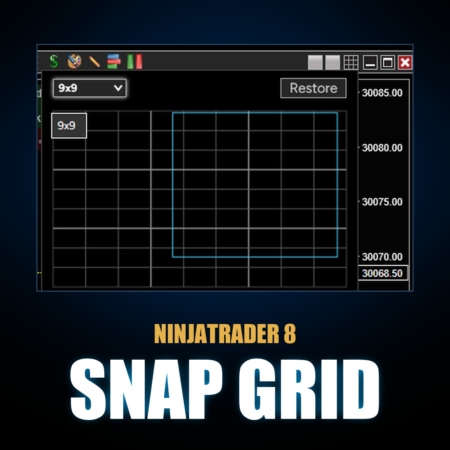
Snap Grid | NT8 1 request
monitor selection for grid snapping
when ninja shuts down it doesnt remember which monitor you are on with your chart so each time you open it randomly puts your charts wherever it wants. would be great to add a feature to this that remember the monitor you are on when a grid is selected.
08/18/2026 Update: This shipped! Snap Grid now remembers which monitor each window belongs on and puts it back there after a NinjaTrader restart, on any mix of monitor resolutions and scaling. Click the gear in the Snap Grid popup and pick "Restore snapped windows" or "Restore all window positions" (it ships turned off so nothing changes unless you turn it on). Your grid size choice is also remembered now. Included in the current All Access download.
Show the full response Show less
------------------------------------------------------------------------------------------------------------------------------------------------------------------------------
Thanks for the report, and good catch. What you are seeing is NinjaTrader itself, not Snap Grid. It happens with or without Snap Grid installed, and here is what is actually going on.
When NinjaTrader saves a workspace, each window is stored as nothing but a pair of raw screen coordinates and a size. You can see it yourself: open any workspace file in Documents\NinjaTrader 8\workspaces in Notepad and you will find entries like Location 462;834. There is no record anywhere of which monitor the window was on. When the workspace reopens, NinjaTrader converts those raw numbers back into window positions using a single scale factor for the whole desktop. On a setup like yours, a 2K monitor next to 1080p monitors, where the monitors do not share one Windows scaling percentage, or when Windows rearranges the desktop because a monitor was asleep or re-detected at startup, the same saved numbers now point at a different spot, often on a different monitor. NinjaTrader then just puts the window wherever the numbers land.
Three things help today: set every monitor to the same Windows scaling percentage (Settings > Display > Scale), always close NinjaTrader using the X on the Control Center so the workspace saves cleanly, and try not to let monitors sleep or get unplugged while NinjaTrader is still open.
As for the feature: I like it, and it is doable, but it is considerably more complex than it sounds. The plan is for Snap Grid to remember which monitor and which grid position every snapped window belongs to, and put each one back where you snapped it after NinjaTrader restarts. Snap Grid can identify monitors more reliably than NinjaTrader does, so it is a natural fit. The hard part is correctly matching each saved position to the right window when the workspace reopens, and that is the piece I will be working through.
A second improvement will ship along with it: Snap Grid will remember your grid size between sessions. Today it always starts back at the default grid; going forward it will open with whatever grid size you last used.
Watch this request for status updates.