
Included in All Access: one membership gives you this tool plus the full HTech NinjaTrader 8 suite.
Every other tool you watch. This one you hear.
A chart only tells you what it is doing while you are looking at it. Every trader knows the feeling: you turn away for twenty seconds to place an order, check a second instrument, or read a headline, and when you look back the tape has already done something. The market did not wait for your attention.
Your ears do not have that problem. They work while your eyes are somewhere else, and they are very good at noticing when a steady rhythm suddenly changes. A busy trading desk has always sounded busy. That is the sense a single silent chart takes away from you.
Market Pulse gives it back. It listens to the live tape and turns it into two sounds: one that clicks faster as more trades arrive, and one that fires when price covers real distance in a hurry. Nothing on your screen has to change. You just stop being surprised by the market you were not looking at.
The two voices of Market Pulse
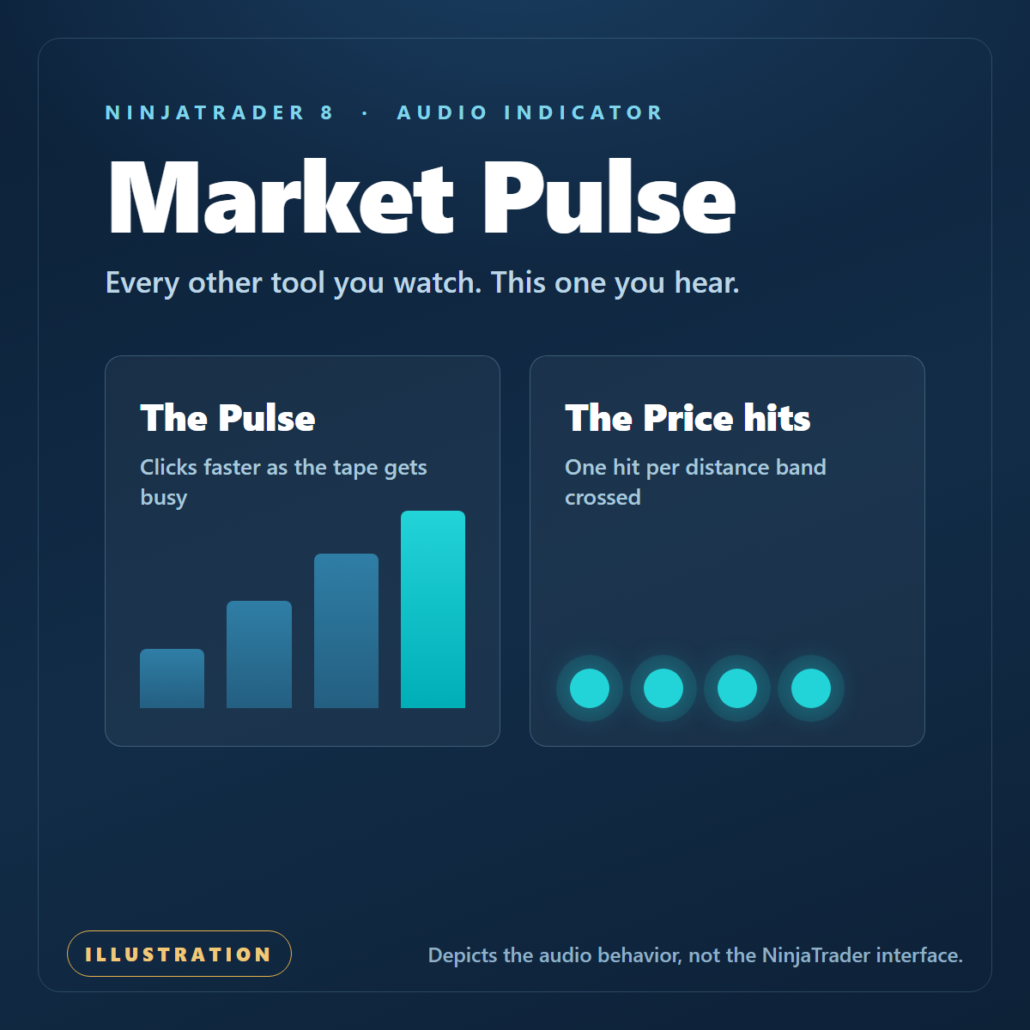
The Pulse
A short tick, repeated. It counts the trades hitting the tape inside a rolling window and speeds up as that count climbs through four activity bands.
Quiet tape, slow clicks. Busy tape, fast clicks.
The Price hits
A deeper thump, fired once for every distance band the move travels through inside its window.
Small, slow move
Fast, larger move
Same sound both times. Size and speed arrive as a burst.
This illustrates the audio behavior. It is not a picture of the NinjaTrader interface.
A burst you cannot mistake for a drift.
This is the behavior that makes Market Pulse worth listening to. Price bands are cumulative, and each one fires only once per window. So a slow grind that creeps into the first band gives you a single hit. A violent move that clears four bands at once gives you four hits in rapid succession, landing almost on top of each other. You never have to count them or think about them. A drift and a spike simply do not sound alike, and you will know which one you just heard before you have finished turning your head.
Two switches, two voices you cannot confuse.
The two sounds are deliberately unalike. Activity reaches you as a light tick, distance reaches you as a deeper thump, so you never have to work out which one you just heard. Both are built into the tool and tuned to sit with you for a full session without wearing on you. You decide how loud each one plays, and whether it plays at all.
The Pulse
A tick, repeated. It plays faster as more trades arrive, and slows when they stop.
The Price hits
A deeper thump, fired once for every distance band the move travels through.
Run one or both
Each voice has its own switch, volume, and bands. Run either alone, or run both.
Tune it to the instrument you actually trade.
A market that prints two hundred trades a second and a market that prints two are not the same market, and neither are their sounds. Every threshold in Market Pulse is yours to set, measured in ticks, so the audio fits the contract in front of you instead of forcing you to adapt to it.
Set the bands
Four activity bands and four price bands, all measured in ticks, so the sound fits a fast index future or a slow crude contract.
Set the pace
The repeat rate is yours as well. Set how quickly the Pulse clicks inside each band, from one lazy tick to a rapid, urgent run.
Peak or close
Measure a window by how far price traveled, or by where it actually closed. Hear the whole excursion, or only the result.
Volume and silence
Each voice carries its own volume, and an idle timeout drops the audio to silence the moment new trades stop arriving.
See what you are hearing.
Market Pulse also draws what it listens to, in its own panel below the chart rather than on top of your price. One plot shows the rolling trade count driving the Pulse. A second shows how far price is traveling in the current window, colored with your own up, down, and flat colors. Six reference lines mark the thresholds you set, so you can watch a bar climb toward a band and understand exactly what the next sound is going to mean. Set it up with your eyes once, then trust it with your ears.
Keep the market on your radar, not just on your screen.
Without Market Pulse
- You only know what the tape is doing while you are looking straight at the chart.
- Activity builds while your attention is on an order, a second instrument, or the news.
- You watch a quiet market for long stretches, waiting for something to happen.
With Market Pulse
- The tape keeps reporting to you while you look somewhere else on the desk.
- You hear the Pulse quicken as trades pile in, before you have turned back to look.
- A quiet market is silent, so the moment it wakes up is the moment you hear it.
Built for awareness, not prediction.
Market Pulse reports what the market is doing right now, through sound. It does not tell you what to trade, it does not forecast, and it does not replace the judgment you bring to the chart and the context around it.
What does Market Pulse actually do?
It listens to the live tape and turns it into two sounds. The Pulse clicks faster as more trades arrive. The Price hits fire as price travels through the distance bands you set. Both play through your speakers while you look at whatever you want.
Does it listen to volume, or to order flow?
Neither, and this matters. Market Pulse counts trades, not the size of them, and it does not read the bid, the ask, or delta. A single large trade counts the same as a small one. What you are hearing is how busy the tape is, not who is buying.
Does the sound change pitch as things get busier?
No. Each voice plays one sound, and it sounds the same whether the market is crawling or running. The Pulse simply repeats faster, and the Price hits simply come in greater numbers. Intensity reaches you through rhythm, not through tone.
Can I change the sounds?
The sounds ship with the tool, so you cannot load your own audio file. Each voice does have a short list of built-in alternatives you can try, but the default pairing is the one we recommend and the one this page describes. A tick and a thump are easy to tell apart, and easy to listen to for hours without wearing on you.
Can I run only one of the two voices?
Yes. The Pulse and the Price hits are independent, with their own enable switch, their own volume, and their own thresholds. Run either alone, run both, or silence everything with the master switch.
What is the difference between Peak and Close?
It is how each window is measured. Peak uses the furthest price traveled from the anchor, so you hear the full excursion even if price comes back. Close uses where the window actually finished, so you only hear a move that stuck.
Does it draw on my price chart?
No. It plots in its own panel underneath the chart, so it never covers your price action. The panel shows the rolling trade count, the current price travel in your up, down, and flat colors, and the threshold lines behind them.
Does it work on historical bars or a backtest?
Market Pulse is a live-market tool. It responds to realtime market data as it arrives, so it makes no sound on historical bars. There is nothing to hear about a trade that already happened.
Requirements: Windows and NinjaTrader 8.1.2.1 or later.


Reviews (login required to post)
Trading with this tool? Share your experience, every review helps fellow traders!
Visit the Customer Reviews page to read reviews for every product.
There are no reviews yet.