Turn swing structure into a clearer trend map, on the chart you trade.
Swings identify important highs and lows. As a NinjaTrader 8 trend indicator, Trends MTF takes the next step: it uses that swing structure to calculate and display active and broken trend lines, then brings the result from the default data series you choose onto the chart where you make decisions.
Use a higher timeframe or a different default bar type for context while working from your execution chart. Instead of manually maintaining every trend line, you get a configurable structural view that can keep active and broken states distinct.
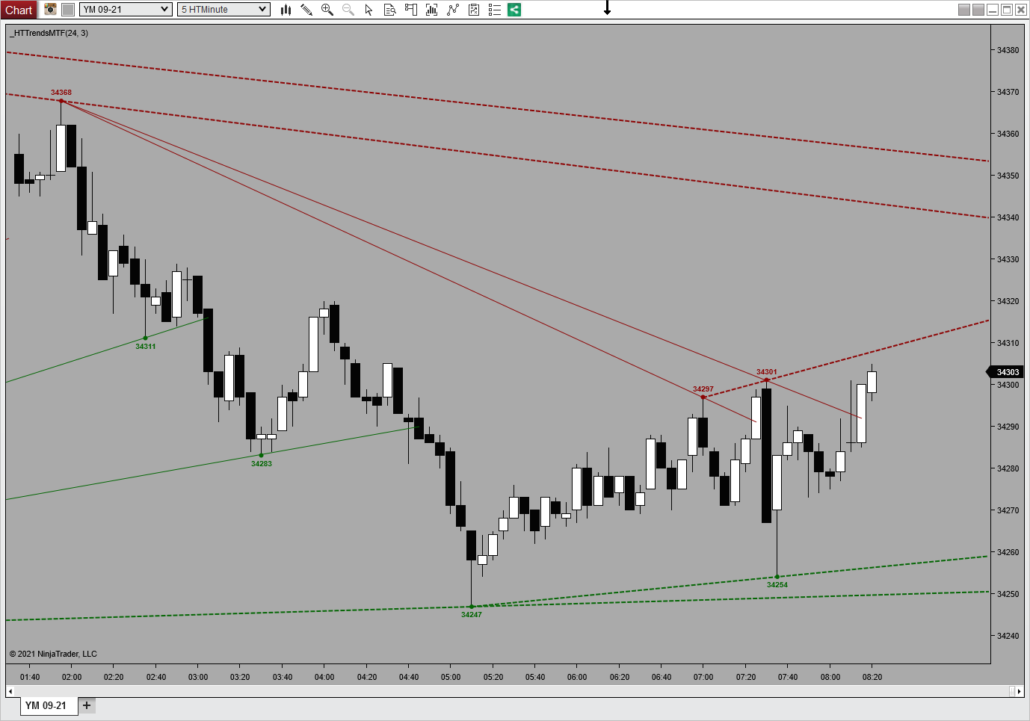
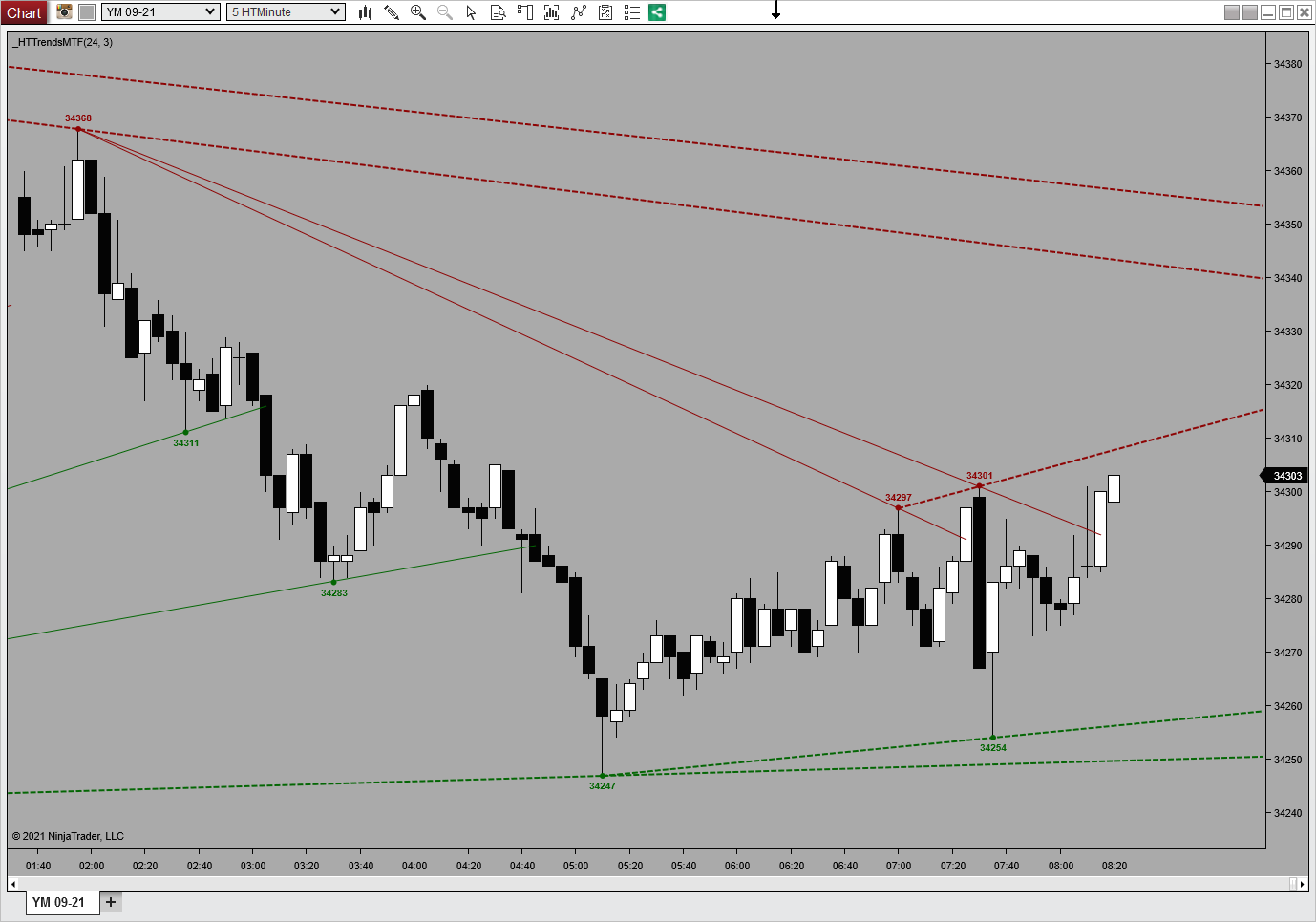
Trends MTF plots descending and rising trend structure directly on the chart. Solid lines are active, dashed lines are broken.
How a NinjaTrader 8 trend indicator builds your view
Choose the source
Use the primary chart series or configure a secondary default data series for the swing and trend context.
Set the strength
Qualify hard on the left, confirm at your own pace on the right. Most tools tie both sides to one setting, so the structure arrives late.
Read the trend state
See the calculated active and broken trend lines on the chart where you manage the trade.
Every Trends MTF setup starts with swing points
Trends MTF includes every Swings MTF feature, starting with swing highs and lows from the selected data series, including an optional secondary MTF source. Two strengths define that structure, and you set each one on its own.
Left strength qualifies. The bar must be the highest high, or the lowest low, of the lookback you set.
Right strength confirms. How many bars you wait before the swing is called.
Then it is fixed. A confirmed swing draws back at the bar that qualified and does not change afterward.
Trends MTF adds the lines that connect the structure
This NinjaTrader 8 trend indicator derives trend highs and lows from those swings, maintaining active and broken trend-line records for a fuller market-structure view.
Active lines show the current calculated structure.
Broken lines preserve what changed instead of making the history disappear.
Optional far-right extension keeps the active trend context visible.
The swing foundation
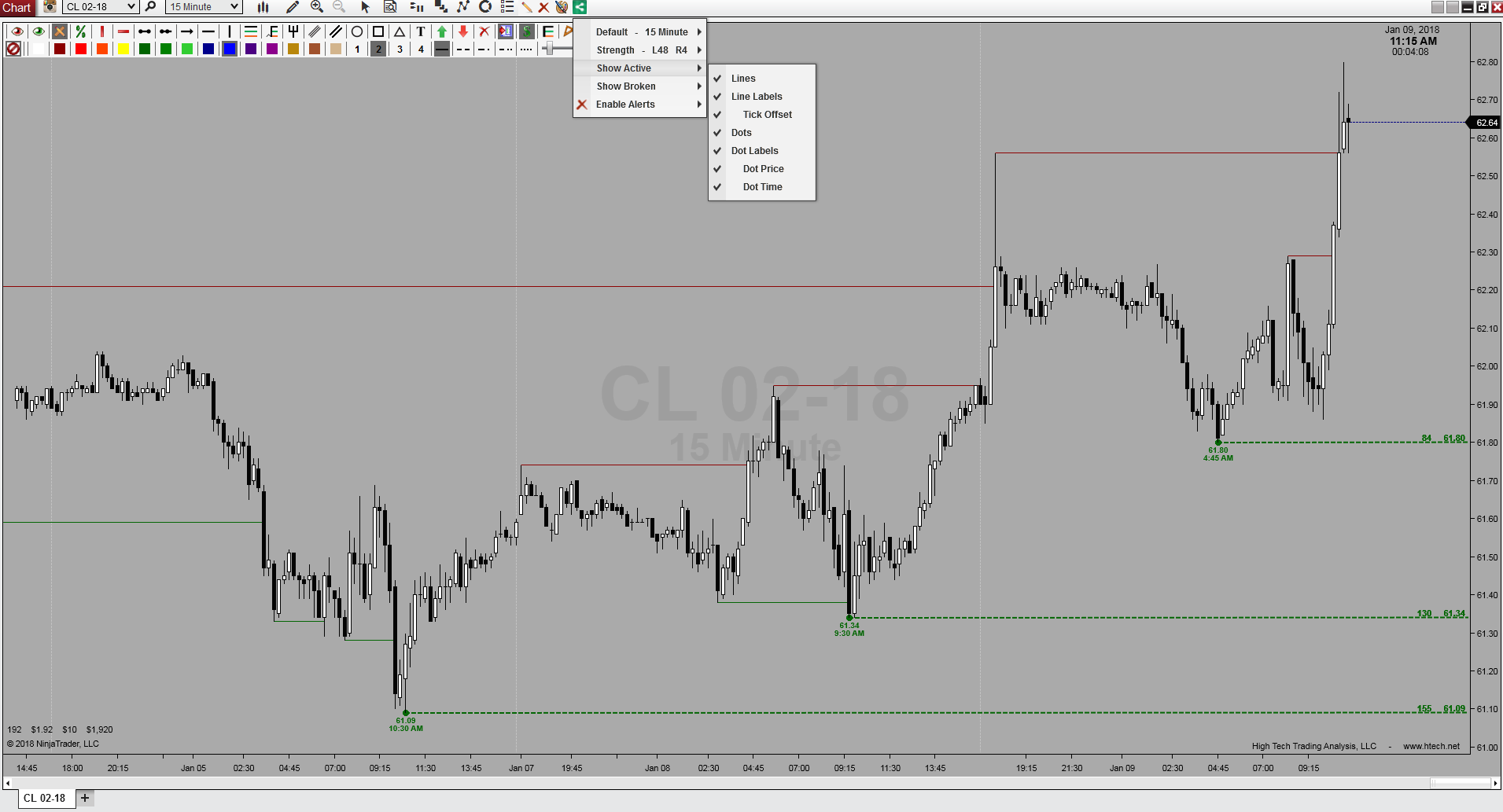
This Swings MTF view shows the confirmed swing highs and lows that Trends MTF starts with. You set left qualification and right confirmation before a trend line is derived.
From that settled structure, Trends MTF maintains the active and broken trend lines shown in the chart above.
Control the trend picture without losing the swing context
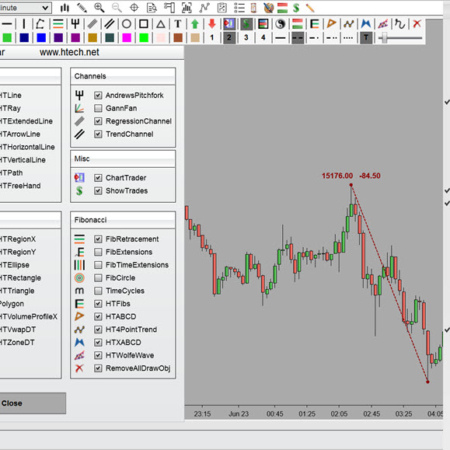
Trends MTF, from the NinjaTrader toolbar
✓
Active and broken views
Show or hide active and broken trends independently, each with their own lines, dots, and labels.
✓
Trend display controls
Choose how many upper and lower trend lines to display, extend active trends to the far right, and include countertrends when useful.
✓
A bounded lookback
Trends calculate over a lookback window you set, in days or bars, so a chart loaded with months of history does not fill up with old structure.
✓
Alerts on create and break
Get an alert when a trend forms or when price takes one out, as a sound or through the NinjaTrader alert window.
Trends MTF also exposes four values, the latest swing high, swing low, trend high, and trend low, so a strategy or other NinjaScript can read the same values without the chart toolbar running.
Stop redrawing the same structure every time the chart changes
Without Trends MTF
Find the swing points, draw trend lines, and keep extending them by hand.
Track active and broken lines without a clear structural separation.
Switch charts to check whether the trend context comes from another timeframe.
With Trends MTF
Build trends from calculated swing structure on the selected data series.
Keep active and broken trend states visually distinct.
Bring the trend context onto the chart where you execute and manage the trade.
Trends MTF calculates from the default NinjaTrader data series. Custom bar types are not supported. If you only need the swing structure without calculated trend lines, Swings MTF is the focused sibling tool.
What does Trends MTF do?
As a NinjaTrader 8 trend indicator, it calculates swing highs and lows, then derives active and broken trend lines from that structure for the selected primary or optional MTF data series.
How is Trends MTF different from Swings MTF?
Swings MTF focuses on the swing structure. Trends MTF includes that workflow and adds calculated trend highs, trend lows, and active or broken trend-line display.
Can it show higher-timeframe trends on a lower-timeframe chart?
Yes. For example, 60-minute swings and trends on a 5-minute chart, 5,000-volume on a 500-volume chart, or 610-tick on a 144-tick chart. You can mix series types too, such as 15-minute trends on a 610-tick chart.
Do the swings or trends repaint after they appear?
Confirmed swings do not repaint. After the right-strength confirmation bars, a swing is drawn back at the bar that qualified it and stays fixed. Later, price can break a swing or active trend line, moving it to the broken state. You can show or hide that broken structure separately.
Can I control how many trend lines appear?
Yes. The current source includes a setting for the number of upper and lower trend lines displayed, plus controls for active, broken, extended, and countertrend views.
Can a strategy read these values?
Yes. It exposes latest swing high, swing low, trend high, and trend low values, so a strategy or other NinjaScript can read them without relying on the chart toolbar.
Does it work with custom bar types?
Trends MTF calculates from the default NinjaTrader data series. Custom bar types are not supported.
Requirements: Windows and NinjaTrader 8.1.2.1 or later.
My Account Downloads
After purchase or access, your available HTech downloads are located in your My Account page. Log in with the same account used for the purchase, then open the Downloads tab in My Account.
Installer Passwords
Most individual HTech products are delivered as password-protected self-installing files. The required installer password is included in your order email. If your order includes multiple products, that email may include multiple product passwords.
Please keep your order email in a safe place for future updates, reinstalls, or computer changes.
Machine ID Registration
All HTech NinjaTrader products require Machine ID registration before they can be used, including free products. Log in to My Account and use the NT8 Registration menu item to register your NinjaTrader Machine ID before starting NinjaTrader with the product installed.
Email Registration
The first time you run an HTech NinjaTrader product, you may be asked to enter your email address. Use the same email address registered on your HTech website account. This is normally a one-time step and should not be required again for regular product updates.
Installation Steps
Close NinjaTrader before installing or updating HTech products. Download your product installer, run the downloaded file, follow the installation prompts, and enter the installer password from your order email when prompted.
After installation, start NinjaTrader. If a Trusted Source message appears, accept it. After accepting the Trusted Source message, restart NinjaTrader once more.
Updates and Reinstalls
Do not uninstall previous versions before updating. HTech installers are designed to install over the existing version. After installing the update, open NinjaTrader and the product will be updated.
Individual product purchases include one year of free updates from the date of purchase. During the active update period, available updates can be downloaded from your My Account page.
All Access
All Access uses a separate installer and access model. Eligible HTech NinjaTrader tools are available while the All Access membership is active. If you already own individual HTech products, those separate purchases remain available under their own license terms. When All Access expires, All Access-only products expire and downloads/access end unless a new membership is purchased.
TradeStation
TradeStation products are discontinued and are no longer available for new purchases. Existing customers may continue using downloads they already purchased or licensed when available, but future updates are not planned and support may be limited.
Help
If you have trouble finding your download, locating your installer password, registering your Machine ID, or installing a product, please contact HTech support.
Individual Products
Individual HTech product purchases include a non-expiring license for the purchased product and one year of free updates from the date of purchase. After the update period ends, the product does not expire. You may continue using the version you already own, but future updates are not included unless a new update period, upgrade, or replacement license is purchased.
All Access
All Access is an annual access membership for eligible HTech NinjaTrader tools. It does not auto-renew and does not automatically bill again. When an All Access membership expires, All Access-only products expire unless you choose to purchase a new membership. Any individual products you purchased separately remain available under their own license terms.
Registration
HTech products require registration before they can be used, including free products. Registration may require your NinjaTrader Machine ID or other licensing information depending on the product. Please review the instructions provided after purchase or access for download, installation, and registration details.
License Use
Licenses are for the original purchaser only and may not be shared, transferred, resold, distributed, or used by multiple customers.
Refunds
HTech products are digital software products. Once a product has been purchased, downloaded, licensed, or accessed, the sale is final and non-refundable.
Support
Support is available through the HTech Discord support channel, Microsoft Teams when available, and direct support contact when needed. HTech makes a reasonable effort to respond within one business day, but support may be limited for third-party platform issues, computer setup, brokerage connections, discontinued products, or platform changes outside HTech’s control.
TradeStation
TradeStation products are discontinued and are no longer available for new purchases. Existing customers may continue using what they already purchased or licensed, but future updates are not planned and support may be limited.
Have an idea that would make this tool better? Post it here, every idea is welcome!
Vote for the ideas you would like built: click the ▲ box (click again to remove your vote).
Visit the Customer Feature Requests page to see and vote on requests for every product.
2 reviews for Trends (MTF) | NT8(login required to post)
Trading with this tool? Share your experience, every review helps fellow traders!
Visit the Customer Reviews page to read reviews for every product.
Rated 5 out of 5
Robert Rosenberg (verified owner)–
Best automated trendline drawing indicator for Ninjatrader. Have tried all out there. I use it for shortterm tickcharts and 5 min bar. You don’t need to look any further, Really a great, fast and easy to use tool. And thx Steve for your exceptional support!
Rated 5 out of 5
Mailman (verified owner)–
Finally! Here is a premiere traditional trend line drawing indicator that will not only saves the trader a lot of manual effort, but is wholly configurable and can display one timeframe’s trend lines on another timeframe’s chart. I won’t repeat all the options available here, as you can read about them in the product description. I do want to make special mention of Steve’s excellent support. In the first iteration of this new product that I saw, the trend lines would not extend into the future. (I generally extend mine when drawing manually to see around what time of day they may converge if those trends continue, etc.). A day after I mentioned this to Steve, he’d enhanced the product to make extending the trends an option! There are a lot of vendors out there but Steve and HTTA are consistently in the uppermost tier for Best Support from my POV. His work is always solid, trouble-free, and customizations costs (my request to extend the lines was not a custom job) are always reasonable. I can’t say enough good things about High Tech.



Robert Rosenberg (verified owner) –
Best automated trendline drawing indicator for Ninjatrader. Have tried all out there. I use it for shortterm tickcharts and 5 min bar. You don’t need to look any further, Really a great, fast and easy to use tool. And thx Steve for your exceptional support!
Mailman (verified owner) –
Finally! Here is a premiere traditional trend line drawing indicator that will not only saves the trader a lot of manual effort, but is wholly configurable and can display one timeframe’s trend lines on another timeframe’s chart. I won’t repeat all the options available here, as you can read about them in the product description. I do want to make special mention of Steve’s excellent support. In the first iteration of this new product that I saw, the trend lines would not extend into the future. (I generally extend mine when drawing manually to see around what time of day they may converge if those trends continue, etc.). A day after I mentioned this to Steve, he’d enhanced the product to make extending the trends an option! There are a lot of vendors out there but Steve and HTTA are consistently in the uppermost tier for Best Support from my POV. His work is always solid, trouble-free, and customizations costs (my request to extend the lines was not a custom job) are always reasonable. I can’t say enough good things about High Tech.