

Included in All Access: one membership gives you this tool plus the full HTech NinjaTrader 8 suite.
See the same VWAP Plus levels on every NinjaTrader 8 chart you trade.
VWAP Plus is a NinjaTrader 8 VWAP indicator for traders who work across more than one chart. Its VWAP, standard-deviation, and previous-session levels stay consistent wherever you put it, whether that is a 5-minute chart, a 30-minute chart, a tick chart, a volume chart, or a Renko chart, and every value is rounded to the instrument’s tick.
That consistency is the point. Most VWAP tools build the calculation out of whatever bars the chart happens to be made of, so the same indicator can print different levels on two charts of the same market. When the levels agree everywhere, you stop asking which chart to believe and simply trade the level in front of you.
Why matching levels matter
Put the stock NinjaTrader 8 VWAP on a 15-minute chart and on a 30-minute chart of the same market and its second standard deviation can sit roughly ten ticks apart. Nothing changed in the market, only the size of the bar the calculation was built from. You can raise the stock indicator to tick resolution and most of that difference goes away, but a chart carrying the thirty or more days of history you need for weekly and previous-session levels then takes minutes to load. VWAP Plus is built to give you tick-accurate levels that agree on every chart and still load fast enough to change data series in the middle of a session.
One reference framework, organized by the level you need
Current session: the developing map
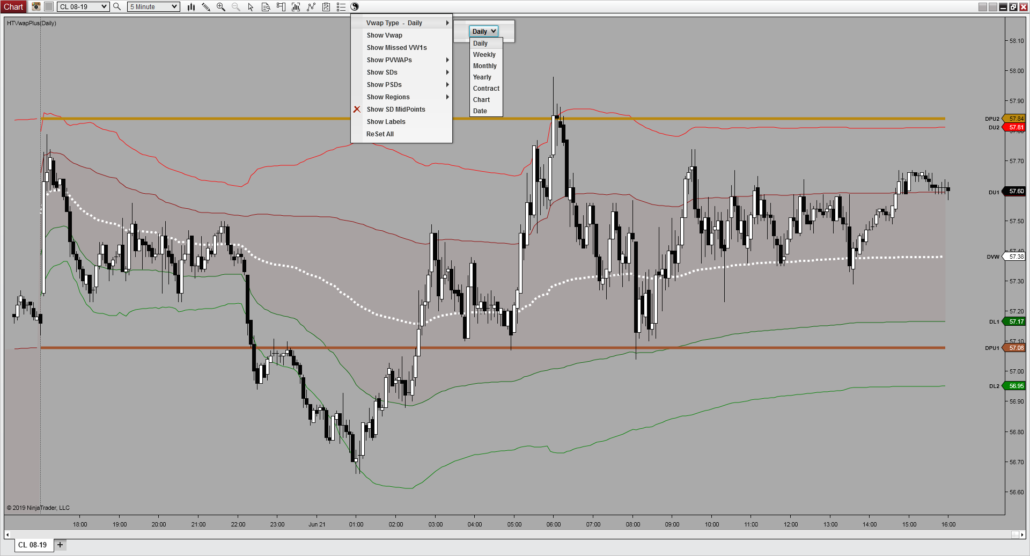
Start with the developing VWAP for the active period, then frame it with the current session’s upper and lower standard-deviation levels.
- Developing VWAP: the active period’s volume-weighted reference.
- Three upper and three lower deviations: configurable distance bands around the current VWAP.
- Optional midpoint lines: six 0.5, 1.5, and 2.5 SD reference lines between the current deviation levels, on their own multipliers if you want them.
- Shaded regions: inner, middle, and outer bands above and below VWAP, each with its own color and opacity.
Previous sessions: the levels price can revisit
Keep prior references on the chart when they matter without turning every chart into a wall of lines.
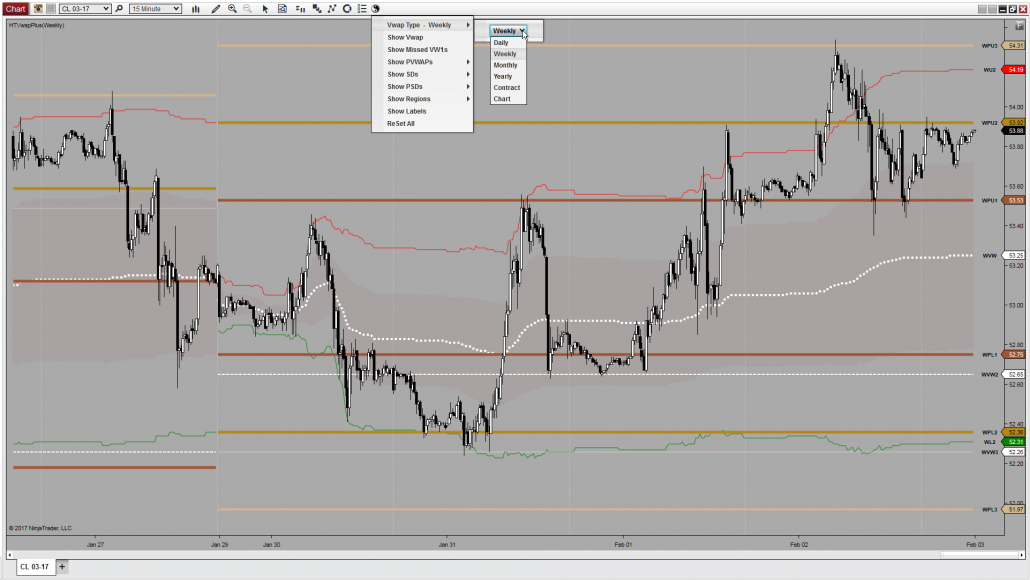
- VWAP1: one-session-prior VWAP plus its standard-deviation levels, drawn as static lines that do not develop through the session.
- VWAP2 and VWAP3: two- and three-session-prior VWAP references.
- Missed/naked VWAPs: keep prior VWAPs price has never traded back through, labeled with price and date, until they are finally breached.
- Visibility by group or plot: keep only the earlier references you actually use.
Set the period to the question you are asking
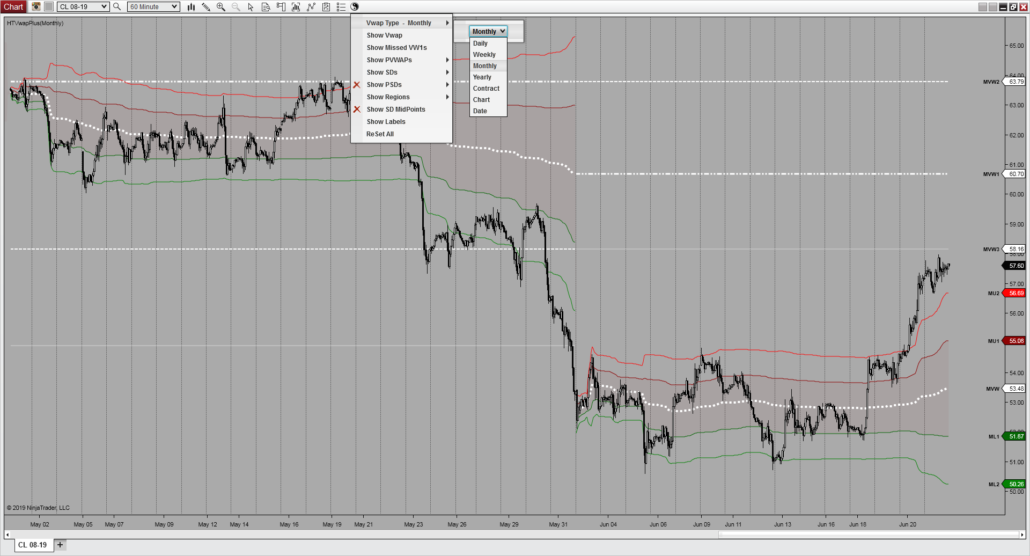
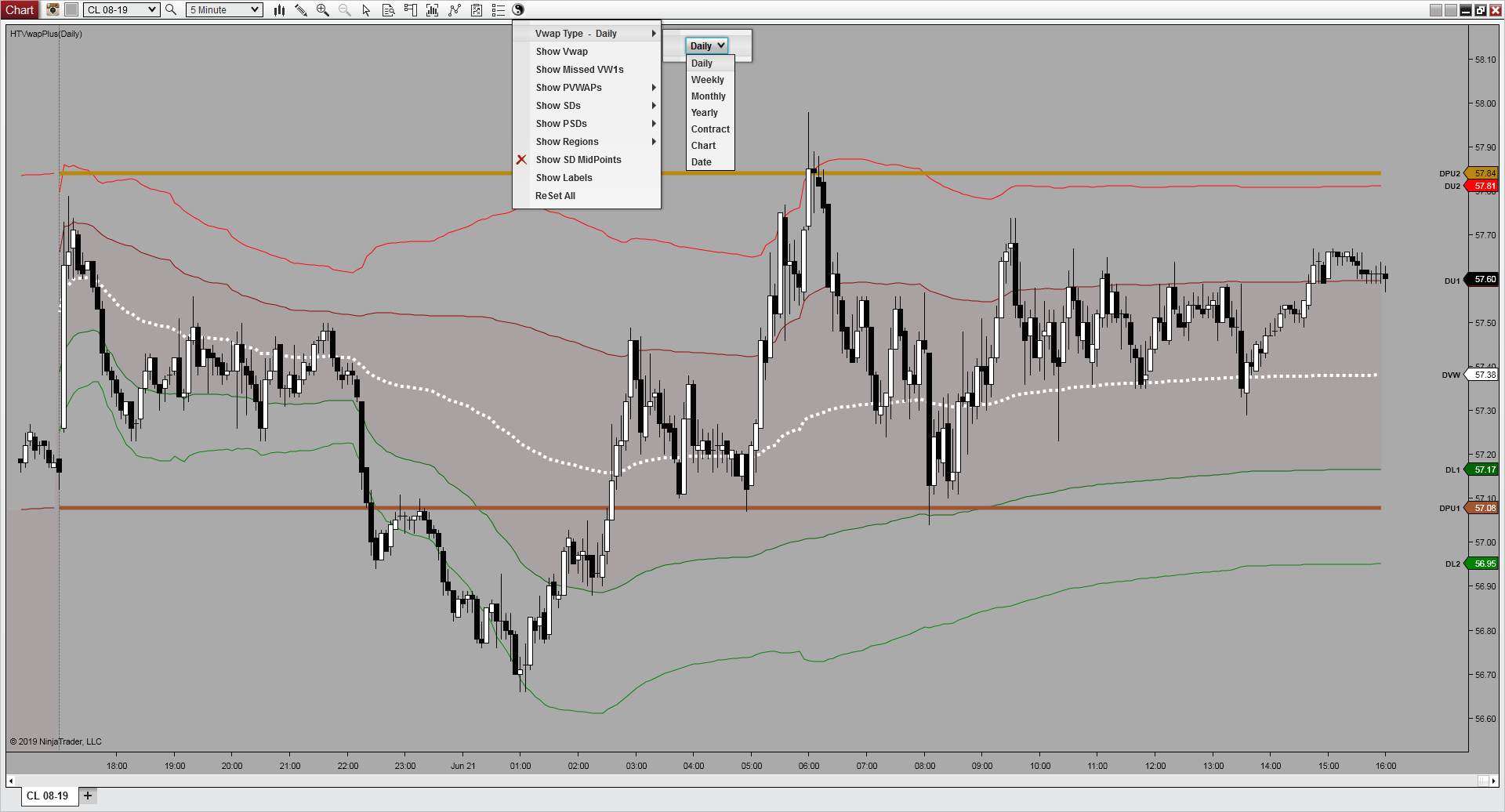
VWAP Plus gives you eight reset periods, so the same indicator can follow a trading day, a broader calendar window, a futures contract, or a window you define yourself. Rolling sessions can aggregate up to ten sessions when a single period is shorter than the average you want.
Daily
The trading day
Weekly
The trading week
Monthly
The calendar month
Yearly
The calendar year
Chart
Every bar loaded
Contract
Futures contract
Date
A date you set
Days back
A day count you set
Set it up the way you actually read a chart
Two periods, one chart
Run daily and weekly VWAP together. Colors, styles, and opacity are set per plot, so you can keep one color scheme and use opacity to tell the two apart.
Know which is which
The toolbar icon has a reversed version, so two instances on the same chart are easy to tell apart at a glance.
Labels on your terms
Price labels carry the period letter and take your font, color, and offset. Turn them off entirely if the chart is busy.
Your own deviations
Set the SD1, SD2, and SD3 multipliers, and give the midpoint lines their own multipliers and length.
RTH on a 24-hour chart
Point VWAP Plus at a Trading Hours template to read RTH values while the chart runs ETH.
Usable in a strategy
A single option hides the toolbar and menus so the indicator can be referenced from a strategy or from BloodHound.
Good fit for
- Traders who follow the same market on more than one chart or data series.
- Workflows that trade VWAP and its standard-deviation bands as support, resistance, or execution levels.
- Traders who want previous-session VWAP references on hand without every plot showing at once.
- Charts that need the period switched and levels hidden quickly, in the middle of a session.
Without VWAP Plus
- Load the stock VWAP on each chart you follow.
- Watch the same level print differently on the 15-minute and the 30-minute chart.
- Raise the resolution to close the gap, then wait on the history a weekly reference needs.
- Decide, mid-session, which chart’s number you actually trust.
With VWAP Plus
- Pick the period: daily, weekly, monthly, yearly, chart, contract, a date, or days back.
- Read the same tick-rounded levels on every chart in the workspace.
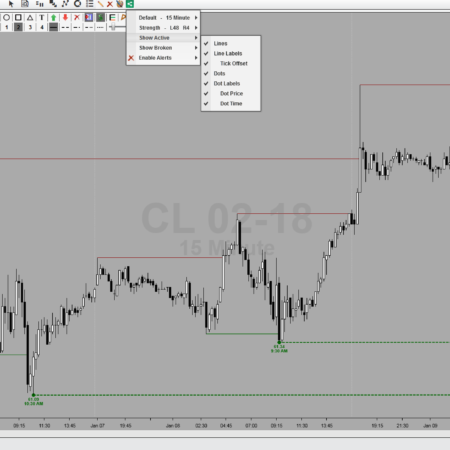
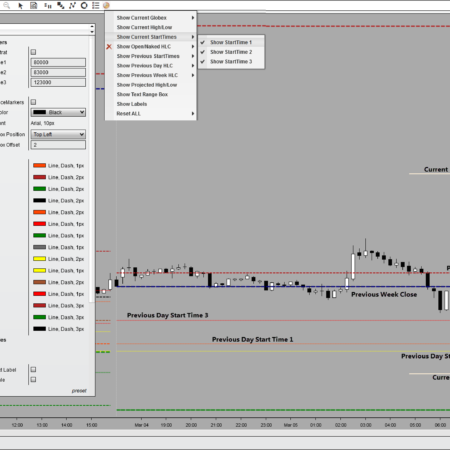
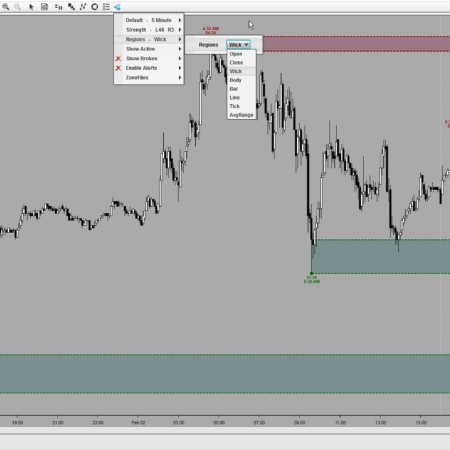
- Hide any level, group, or region from the toolbar, and bring it back the same way.
- Change the read without reopening the properties panel.
What makes VWAP Plus different from the stock NinjaTrader 8 VWAP?
Two things. Its levels stay consistent on every chart you put it on, rounded to the tick, without the slow chart loads that the stock indicator’s tick resolution costs you. And the whole indicator is driven from a chart-toolbar drop-down, so you can change the VWAP period or show and hide any level, group, or region without reopening the properties panel. It also adds what the stock indicator does not have: previous-session VWAPs and their standard deviations, missed and naked VWAPs, separately colored regions, and midpoint levels.
Which VWAP periods can I use?
Eight: daily, weekly, monthly, yearly, chart, contract, a start date you choose, or a set number of days back. Rolling sessions can aggregate up to ten sessions when you want a longer average than one period gives.
Can I show two VWAP periods on the same chart?
Yes, by adding a second instance. Colors, styles, and opacity are set per plot, so many traders keep one color scheme and use opacity to tell the daily levels from the weekly ones. The toolbar icon also has a reversed version, so you can see which instance you are about to change.
Can I hide the plots I do not use?
Yes. Show or hide an entire group from the toolbar, or open the group and switch a single level: one previous VWAP, one standard deviation, one region. ReSet All puts everything back.
Can I customize the standard-deviation levels?
Yes. The SD1, SD2, and SD3 multipliers are yours to set, as are the multipliers and line length for the six optional midpoint levels, along with plot colors, styles, opacity, and the label font, color, and offset.
Can I use it in a strategy?
Yes. A single option hides the toolbar icon and menus so VWAP Plus can be referenced from a NinjaTrader 8 strategy or from BloodHound.
Requirements: Windows and NinjaTrader 8.1.2.1 or later.


Derek Richards (verified owner) –
I’d echo these 5star reviews. I’ve tried maybe a half dozen or so other vwaps out there and High Tech’s is my go to. It has all the features of others (and few extras), but the Quality of Life features that this and Edge’s other indicators have are what puts it way ahead. This is the on-the-fly settings, instant display on-off, low PC resources, and….do it yourself Machine ID/license management. You can tell that Edge is using/improving his own indicators. I recently had a question and request…he was on top of it right away! Very personal support which is unusual these days. Thanks Edge!!!
Colin Roberts (verified owner) –
best vwap out there, completely customizable and easy to use. well worth the money
John van Niekerk (verified owner) –
VWAP – such a simple indicator, or so you would think. If you are watching this on multiple time frame charts then you need this indicator! What a pleasure to see the same price on all my charts. No slowing of the chart either. Can’t live without this :)
mrotondo (verified owner) –
As a new customer to HTech I am very pleased with the NT8 HTVwapPlus. The previous reviews have already stated all the great things this product provides and the ease of installation. I do want to complement the support staff on their quick and thorough support.
LUIS (verified owner) –
excellent product and customer services thanks.
Darcy (verified owner) –
I have been a customer of Steve’s for years. Another very well built indicator that should improve anyone’s trading. It can’t be stressed enough the quality of support High Tech gives its customers. Always prompt and always courteous!
Mahesh (verified owner) –
Excellent Indicator with a lot of customization’s and easy to use , Htech indicators are the best when to come to usability and customer support.
mercador11 (verified owner) –
Edge is incredibly helpful in moments of technical support.
I love using this tool to refine my entries in Brazilian futures contracts.
I am very pleased with the effectiveness of these tools.
Thanks
Jeffrey (verified owner) –
I have used the VWAP indicator for a year or more with great results. The VWAP is the only average that I am aware of that prints the same value on any and all time frame charts and regardless of type of chart (time-based, renkos, ticks, etc.). Unlike moving averages such as SMAs and EMAs which have different values for the same moving average period on different time-based charts. In other words, the value of a 50EMA on a 5-minute chart is not the same as a 50EMA on a 30-minute chart. However the VWAP prints the identical value on any and all charts. One of the reasons the “big boys” use the VWAP as an essential tool. HiTech’s VWAP offers far more features than other VWAP products. Trade between the VWAP upper standard deviation #1 and the lower standard deviation #1 at your own risk . . . but enjoy the bountiful profits if trading beyond those levels. Nearly every component of HiTech’s VWAP can be modified whether its colors, line types or enabling and disabling the many features.
fredesch (verified owner) –
Another well designed indicator from hTech. The NT8 version works exactly as expected. I’m very happy with all the hTech indicators I own.
Thomas (verified owner) –
I would like to say a few words about the VWAP indicator I have been useing it since 2016 in NT7 now using in NT8 It works so well that I use it every trading day would not trade with out it and as for Mr. Edge he is the very best vendor and a person you can really trust.
Yevgeniy (verified owner) –
This is an amazing tool in my arsenal. I am absolutely happy with it and it helps me making good trading decisions for both entry and exits. Also, customer support is great!
Jeffrey (verified owner) –
I have tried a number of VWAP indicators and find this iteration the most feature-rich version. While Ninja version 8 has now added a free VWAP, that version lacks the power of this one. In fact, in this trader’s opinion, there are aspects about the free version in Ninja that could seriously mislead the trader. I love the fact that I can click the mouse wheel and have the entire indicator disappear or return with another click. This allows me to add both a DAILY and WEEKLY VWAP on my charts and show or not show either one. I’ve only recently been introduced to the power of the VWAP but have already benefited from its ability to predict where the major market players are targeting. In addition, this indicator allows you to show the closing VWAP price of the prior two trading sessions, levels that are also very powerful.
Christine (verified owner) –
Excellent product, love how easy it is to setup the indicators. The values are clear. Love all the products I’ve tried so far.
Eric (verified owner) –
Once again, a quality HTech product – The VWAP Plus is brilliant – Quick easy access to all plots. Any plot changes can be done directly from the drop-down Toolbar icon on the chart.
No hesitation in recommending the VWAP Plus for NinjaTrader 8 – 10 out of 10 !!
Sean (verified owner) –
I’ve tried a few other VWAP indicators and this version by far uses the least amount of resources. We all know how finicky NT8 can be with custom indicators and the over-consumption of RAM. Steve knows what he’s doing and the options available in this VWAP version would meet any traders needs. The quick access toolbar to quickly add or hide dev bands/shading/etc makes this indicator paramount. The ease of updating the indicator is a plus as well. I’ve noticed an update on the version every so often which brings about even more features. All it takes is a quick Skype to Steve and he provides an executable for the update installation. No need to uninstall/reinstall or mess around with keeping your NT8 folders clean. Thanks Steve for staying on top of everything.
Tom (verified owner) –
I use HT’s vwap indicator as my primary trading tool and it far surpasses it’s competition. As excellently put in previous review, the functionality truly is second to none. The addition of a button to the chart toolbar, as with most HT indicators, provides easy access to display, or not, various settings including vwap/past vwaps, SD’s/past SD’s etc. The features added to this indicator are well thought out and designed for the active trader. The HT team are always responsive and have assisted me either via email or skype with my queries and have provided me with additional insight on how best to use their indicators. Out of all the vwap indicators out there, this is the one I always recommend.
Jason (verified owner) –
In a world where volume moves Markets, you won’t be disappointed by adding this to your tool belt. The functionality of this indicator is second to none and like other indicators I’ve purchase from HT, the customizational abilities won’t disappoint. Although it has several uses, helping me with my exits and staying in trades longer, has this indicator paying for itself over and over. Great job HT Team!
traderalex81 (verified owner) –
I’m very happy with vwap indicator. I had this indicator for NT7 and now I’m using it on NT8. I also own many other Htech indicators and very happy with them!